
How Focus Breaks Online and How the Browser Can Fix It

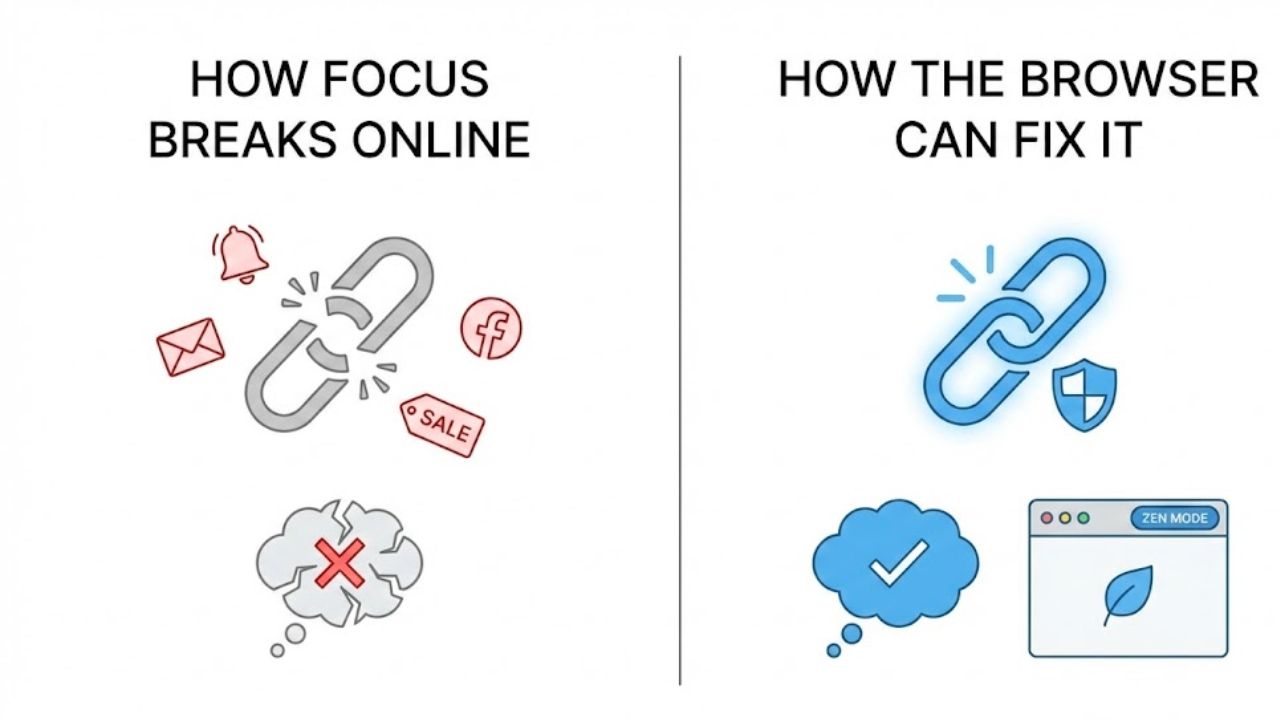
Distraction rarely feels dramatic. It creeps in through tabs notifications and the quiet habit of checking one more thing. Focus fades not because of weak discipline but because the browser has become a crowded room that never goes silent.
Most people search for Chrome extensions for focus and concentration after noticing the same pattern. Work takes longer. Reading feels shallow. Tasks fragment into half finished thoughts. The problem is not motivation. It is environment design.
The browser shapes attention. Every extension added or removed changes how the mind behaves during work. When chosen carefully Chrome extensions can turn a noisy workspace into a controlled mental environment that supports sustained concentration rather than draining it.
The Browser as a Cognitive Environment
Focus lives or dies based on cues. Visual clutter cognitive load and interruption frequency all shape how the brain allocates attention. Browsers amplify these forces because they mix work entertainment communication and curiosity inside one window.
Chrome extensions influence this environment at a structural level. They change what appears on screen when a new tab opens. They limit access to time draining sites. They measure behavior in ways that expose hidden habits.
This matters because concentration is not a personality trait. It is a state that emerges when conditions support it. Extensions succeed when they modify conditions rather than relying on willpower.
Why Willpower Fails Inside the Browser
The human brain handles choice poorly when options multiply. Every open tab creates a micro decision. Stay here or switch. Read or scroll. Continue or escape.
Willpower depletes quickly in this setting. Focus tools that rely on self control alone rarely last. Effective Chrome extensions reduce choices before the brain has to fight them.
This explains why simple blockers often outperform motivational tools. Removing temptation beats resisting it. Extensions that understand this principle tend to feel calmer and more sustainable.
Attention Residue and Tab Switching
Cognitive research shows that switching tasks leaves attention residue. A portion of the mind remains attached to the previous task even after moving on. Browsers encourage constant switching.
Extensions that limit tab creation or slow down context switching reduce residue. The effect feels subtle at first. Over time it compounds into deeper work sessions and less mental fatigue.
This is where browser level tools outperform standalone apps. They intervene at the exact moment distraction begins.
Categories of Chrome Extensions That Support Concentration
Not all focus extensions work the same way. Each category targets a different failure point in the attention cycle. Understanding these categories helps users choose tools that match their work style rather than fighting it.
Website Blockers and Access Controllers
These extensions restrict access to distracting sites during defined periods. Their strength lies in automation. Once configured they operate without negotiation.
Some allow scheduling by time of day. Others activate during work sessions. The best versions include friction such as delayed access rather than absolute bans. This respects autonomy while protecting focus.
Website blockers work best for habitual distractions like social media news or video platforms. They struggle with internal distractions such as email unless configured carefully.
Time Awareness and Behavioral Feedback Tools
Many people underestimate how long they spend on low value browsing. Time tracking extensions reveal patterns that memory distorts.
These tools display time spent per site or category. Some offer daily summaries. Others surface gentle prompts when usage crosses a threshold.
Awareness alone can shift behavior. When paired with blockers it becomes even more effective. The key is presentation. Data should feel informative rather than punitive.
Tab and Workspace Management Extensions
Tab overload fragments attention. Workspace tools group tabs by task or session. Some suspend inactive tabs to reduce visual clutter and memory load.
By structuring tabs around intent these extensions reduce the mental cost of resuming work. Returning to a project feels smoother. Less time goes into reorientation.
This category suits knowledge workers who juggle research writing and reference material across sessions.
Focus Ritual and Session Based Tools
These extensions create intentional work sessions. They often include timers ambient visuals or progress indicators.
The psychology here is commitment. Starting a session signals the brain to switch modes. Ending it provides closure. Ritual reduces friction around beginning deep work.
When combined with blockers these tools become more powerful. The session defines boundaries. The browser adapts accordingly.
How Leading Focus Extensions Actually Work in Practice
Marketing claims often oversimplify. Real effectiveness shows up after weeks of use. The following tools illustrate different philosophies of focus support when used inside Chrome.
Freedom and Environmental Control
Google Chrome serves as the foundation for many focus tools and Freedom operates by controlling that foundation across devices.
Freedom blocks selected websites and apps on a schedule. Its strength lies in consistency. Once a session starts it removes access without negotiation. This reduces cognitive load.
In practice Freedom works best for people with clear work hours. Writers developers and remote professionals often report improved depth once distractions disappear predictably.
The limitation appears during flexible workdays. Strict blocks can feel rigid if tasks vary. Freedom rewards routine. It resists improvisation.
StayFocusd and Constraint Through Quotas
StayFocusd limits time spent on distracting sites rather than blocking them outright. This quota based approach appeals to users who want flexibility.
The psychological effect differs. Knowing time is limited creates urgency. Casual scrolling feels less rewarding. Focus shifts naturally.
In real usage StayFocusd requires honest configuration. Too generous limits weaken impact. Too strict limits trigger workarounds. The sweet spot varies by user.
Forest and Visual Commitment
Forest introduces a growing tree that thrives during focus sessions. Leaving the task kills the tree. The concept feels playful yet effective.
This works because it creates emotional stakes. The brain responds to visual progress and loss aversion. Sessions feel more intentional.
Forest suits people who struggle with starting work. The ritual of planting a tree signals commitment. Over time the forest becomes a record of effort.
Momentum and Context Reset
Momentum replaces the new tab page with a calm dashboard. It displays a daily focus prompt alongside weather and inspiration.
This small change alters the emotional tone of browsing. New tabs no longer invite distraction. They reinforce intention.
Momentum works quietly. Its impact accumulates through repetition. Each tab becomes a micro reminder of purpose rather than an invitation to wander.
RescueTime and Behavioral Insight
RescueTime tracks activity and categorizes it by productivity level. Reports reveal patterns that intuition misses.
The value lies in diagnosis. Users often discover that small frequent distractions outweigh obvious ones. Email or messaging consumes more time than expected.
RescueTime pairs well with blockers. Insight informs configuration. Blocking decisions feel evidence based rather than arbitrary.
Practical Comparison of Focus Oriented Chrome Extensions
Below is a practical comparison that reflects real usage patterns rather than feature lists.
+—————-+———————-+———————+——————-+——————-+
| Extension Name | Primary Function | Best Use Case | Strength Profile | Limitation Area |
+—————-+———————-+———————+——————-+——————-+
| Freedom | Site and app blocking| Structured workdays | Strong enforcement| Rigid schedules |
+—————-+———————-+———————+——————-+——————-+
| StayFocusd | Time quotas | Flexible routines | Behavioral nudges | Setup sensitivity |
+—————-+———————-+———————+——————-+——————-+
| Forest | Focus sessions | Procrastination | Emotional cues | Gamified tone |
+—————-+———————-+———————+——————-+——————-+
| Momentum | New tab intention | Context control | Low friction | Limited control |
+—————-+———————-+———————+——————-+——————-+
| RescueTime | Activity tracking | Habit analysis | Deep insight | Passive effect |
+—————-+———————-+———————+——————-+——————-+
Matching Extensions to Work Styles
Effectiveness depends on alignment. Tools that fight natural rhythms fail quickly. Tools that reinforce them feel invisible.
Deep Work and Long Form Thinking
Writers researchers and developers benefit from strict blockers and session tools. Freedom combined with a session timer creates uninterrupted stretches that protect cognitive momentum.
The goal is reducing interruption density. Fewer context switches allow ideas to mature. Extensions act as guards rather than motivators.
Reactive and Communication Heavy Roles
Roles involving support or coordination need flexibility. StayFocusd style quotas work better than absolute blocks. Momentum helps reset intent between tasks.
Here focus means controlled responsiveness rather than isolation. Extensions should shape behavior without blocking necessary access.
Creative Exploration and Research
Creative work requires openness alongside structure. Tab managers and time awareness tools suit this balance.
Seeing where time goes helps creatives adjust without killing curiosity. The browser becomes a studio rather than a trap.
Why Some Focus Extensions Fail Over Time
Initial enthusiasm often fades. Understanding failure modes helps avoid them.
Over complexity kills adoption. Extensions with too many settings demand attention. Users abandon them during busy periods.
Moral framing backfires. Tools that shame or punish trigger resistance. Focus improves when tools feel supportive rather than judgmental.
Static rules age poorly. Work changes. Effective extensions allow evolution without full resets.
Building a Sustainable Focus Stack
One extension rarely solves everything. Sustainable setups combine two or three complementary tools.
A common pattern includes one blocker one awareness tool and one ritual tool. Each covers a different weakness.
Less matters. Too many extensions create friction. The goal is reducing mental overhead not adding dashboards.
Privacy and Trust Considerations
Focus extensions observe behavior. Trust matters. Reputable tools explain data usage clearly and minimize collection.
Local processing feels safer for many users. Cloud syncing adds convenience but raises concerns.
Checking update history and developer responsiveness offers clues about long term reliability.
FAQs
Do Chrome focus extensions slow down the browser
Most well built extensions have minimal performance impact. Heavy tracking tools may increase memory use during long sessions.
Can focus extensions replace self discipline
They support discipline by shaping environment. They do not replace intention. Sustainable focus combines both.
Are free focus extensions effective
Many free tools work well. Paid versions often add cross device syncing or deeper analytics.
How long does it take to see results
Behavioral shifts often appear within a week. Deeper changes emerge over several weeks of consistent use.
Can these extensions help with ADHD
Some users report benefits. Structured blockers and visual session tools often help reduce overwhelm.
Should I use multiple focus extensions together
Yes when they serve different roles. Avoid overlapping functions that compete for attention.
Closing Perspective
Chrome extensions for focus and concentration work when they respect how attention actually behaves. They succeed by redesigning the environment rather than demanding constant self control.
The browser can either fracture thought or protect it. With deliberate choices it becomes an ally rather than an adversary.
Choosing the right tools and using them with intention creates a quieter digital space. In that space focus returns not as a struggle but as a natural state.


