
Chrome Tools for Effective HTML and CSS Testing

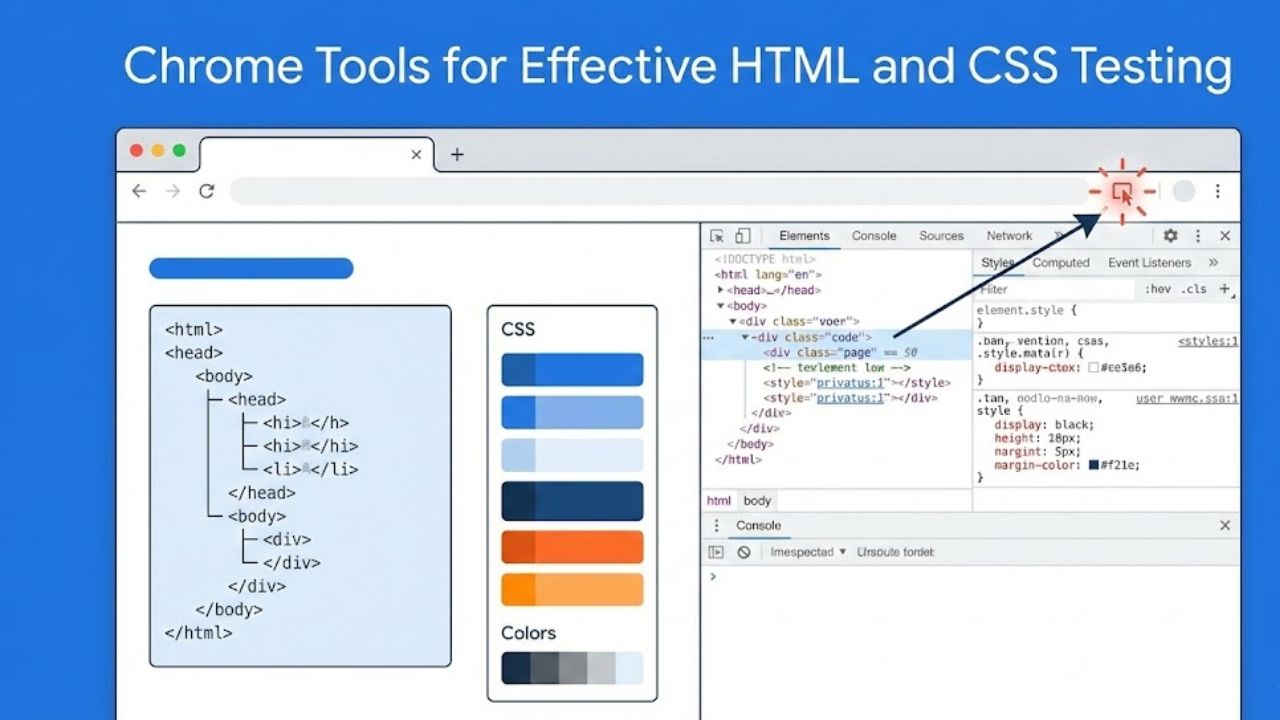
Web developers frequently encounter unpredictable browser behavior when deploying HTML and CSS changes. Broken layouts, inconsistent styling, and unnoticed compatibility issues can disrupt a site’s user experience. Chrome extensions for HTML and CSS testing offer real-time inspection, live editing, and detailed visualization, reducing debugging time and improving code reliability.
Choosing the right tool influences productivity and code quality. Some extensions excel at visualizing CSS changes immediately on a page while others provide audit-like insights or compatibility checks across multiple devices. Developers often juggle multiple extensions to cover inspection, testing, and simulation needs. Understanding which extensions serve specific purposes ensures smoother workflows.
Practical testing is particularly crucial for front-end teams working under tight deadlines. Manual code review rarely identifies dynamic layout problems or unexpected interactions between stylesheets. Extensions bring a controlled environment that allows experimentation without altering production code.
Visual Debugging Extensions for HTML Structure
Inspecting the DOM efficiently is a cornerstone of front-end debugging. Extensions designed for visual analysis allow developers to highlight elements, examine hierarchy, and track changes interactively. They support immediate identification of structural flaws, nested errors, or hidden elements that may disrupt layout rendering.
Highlight overlays and element tagging improve comprehension of complex layouts. For example, developers can trace which CSS rules apply to a particular div or section, identify inherited properties, and adjust margin or padding visually. This approach minimizes back-and-forth between code editor and browser.
Beyond inspection, certain extensions provide live editing capabilities. Modifications to HTML attributes or CSS properties reflect immediately in the browser window, enabling rapid prototyping. Teams can collaboratively test experimental designs before committing changes to repositories, increasing both speed and confidence in implementation.
Real-Time DOM Editors
Extensions with in-browser DOM editing accelerate testing by enabling direct manipulation of elements. This feature proves valuable when diagnosing layout misalignment or testing dynamic content injection. Developers can observe how responsive design adjustments affect the live page, circumventing repetitive refresh cycles.
Some tools include element history tracking. This allows reverting changes or comparing before-and-after states. When multiple developers collaborate, the history log ensures clarity regarding who made modifications and what impact occurred on the rendered page.
Furthermore, extensions supporting pseudo-class simulation enhance CSS testing. Developers can emulate hover, focus, or active states without user interaction. This prevents overlooked styling bugs, particularly in interactive components such as menus, buttons, or form inputs.
CSS Testing and Live Style Manipulation
Fine-tuning CSS often requires immediate visual feedback. Extensions that inject live styles provide layered inspection of specificity, inheritance, and cascading rules. Visual indicators reveal which styles dominate when multiple rules apply to a single element.
Advanced tools allow property filtering, such as displaying only layout, typography, or color changes. This segmentation aids developers in isolating specific design issues without distraction. It also reduces cognitive load when debugging highly complex stylesheets containing thousands of lines of CSS.
Testing media queries directly in-browser eliminates guesswork regarding responsiveness. Developers can dynamically resize the viewport and observe element behavior under breakpoints. This real-time testing ensures that responsive grids, flexbox, and CSS grid layouts remain functional across devices.
Layered Style Comparison
Some extensions facilitate side-by-side comparison of original versus modified styles. This enables incremental testing without permanently altering code. Developers can experiment with font families, color schemes, or spacing adjustments and export the final CSS rules for deployment.
Simulated browser environments embedded in extensions allow cross-device validation. Layout integrity, overflow issues, and interactive behavior can be evaluated across screen sizes, reducing late-stage compatibility fixes.
These tools also assist in diagnosing conflicts between third-party CSS libraries and custom styles. Highlighting overridden rules helps maintain predictable styling while integrating multiple frameworks.
Performance-Oriented Testing Tools
Rendering speed and CSS efficiency affect both user experience and search engine performance. Extensions that analyze CSS and HTML contribute to lightweight design by detecting redundant or unused code. This ensures optimized page load times and avoids unnecessary computational overhead.
Audit-focused tools often provide metrics like element count, DOM depth, and CSS rule weight. Developers can prioritize critical changes that improve both performance and maintainability. Streamlined CSS reduces repaint and reflow delays, particularly on mobile devices.
Simulated network throttling integrated within certain extensions provides insight into how HTML and CSS affect performance on slower connections. This identifies bottlenecks caused by heavy styling or complex layouts that degrade real-world experience.
Code Optimization Insights
Extensions may generate structured reports highlighting duplicate selectors, unused classes, or conflicting rules. Teams can integrate this data into continuous integration pipelines, ensuring consistent quality control. CSS minification and modularization recommendations further enhance efficiency.
Practical applications include verifying third-party widget integration, responsive typography, and adaptive images. By combining structural inspection and performance metrics, developers gain a holistic understanding of how their front-end code behaves under various conditions.
Cross-Browser and Device Simulation Extensions
Testing across multiple environments prevents unexpected display issues. Extensions that simulate different browsers or devices allow developers to preview rendering discrepancies without deploying multiple physical devices.
Viewport emulators provide both portrait and landscape orientations. They also accommodate common device resolutions and pixel densities. This functionality ensures that grid layouts, flex containers, and interactive elements maintain visual integrity across platforms.
Device simulation often integrates with console logging, enabling tracking of JavaScript interactions alongside HTML and CSS testing. Developers can observe how responsive elements respond to user input, scroll events, or dynamic content loading, replicating real-world conditions.
Responsive Layout Validators
Some tools automatically highlight elements outside viewport bounds or elements that break grid alignment. Visual alerts save time by signaling potential overflow, hidden content, or misaligned containers.
Extensions can maintain snapshot comparisons of responsive states. Teams can benchmark layout consistency across browser versions, ensuring that updates do not introduce regressions. Historical snapshots also support A/B testing for design validation.
Cross-browser testing integration reduces the risk of layout discrepancies caused by vendor-specific implementations of CSS properties. Developers gain confidence that styling and structure remain consistent from Chrome to Safari and Firefox.
Collaboration and Workflow Enhancements
Shared debugging sessions enable multiple developers or designers to examine the same page simultaneously. Extensions with annotation capabilities allow commenting on HTML elements or CSS rules directly within the browser.
Version control integration enhances team workflows. Changes made in-browser can be exported to code repositories with clear documentation of edits. This prevents conflicts between design adjustments and code commits.
Automation features, such as style preset application, streamline testing across multiple pages. Teams can validate consistent branding, typography, and spacing rules efficiently without repetitive manual checks.
Team-Oriented Tools
Extensions supporting live collaboration highlight who is editing which element in real time. This minimizes overlap, confusion, and accidental overwrites. Teams benefit from maintaining design integrity while allowing experimental testing.
Workflow-focused extensions may also integrate with task management or project tracking platforms. They provide actionable insights for front-end developers, designers, and QA teams, ensuring that HTML and CSS modifications meet project requirements promptly.
Practical Comparison Table of HTML & CSS Testing Extensions
| Extension Name | Primary Function | Live Editing | Device Simulation | Collaboration Features | Price |
|---|---|---|---|---|---|
| CSS Peeper | Inspect and visualize styles | Yes | Limited | No | Free |
| VisBug | DOM and CSS manipulation | Yes | Yes | No | Free |
| Web Developer | Audit and testing tools | Limited | Yes | No | Free |
| PerfectPixel | Pixel-perfect design overlay | No | Yes | Limited | Free |
| Stylebot | CSS rule editing and filtering | Yes | Limited | No | Free |
| SnappySnippet | Export CSS snippets | Yes | No | No | Free |
FAQs
Which Chrome extension is best for live CSS editing?
Live CSS editing is most efficient with VisBug or Stylebot. They allow real-time property manipulation without modifying the source code permanently.
Can these extensions simulate mobile devices accurately?
Yes, several tools provide viewport emulation, responsive breakpoints, and pixel density adjustments. Developers can test layouts under different orientations and screen sizes.
Do any extensions analyze unused CSS?
Yes, audit-focused extensions like Web Developer can identify redundant or overridden CSS rules, improving performance and maintainability.
Is collaboration possible with these testing tools?
Some extensions offer annotation and shared session capabilities, allowing multiple developers or designers to review pages together. Full real-time collaboration is limited in free versions.
Can extensions detect layout inconsistencies across browsers?
Cross-browser simulation tools provide previews for different browser engines, highlighting potential styling issues caused by vendor-specific CSS implementations.
Are all these extensions free to use?
Most core functionality is free. Some premium versions offer advanced analytics, enhanced device simulation, or team collaboration features.
Closing Statement
Chrome extensions for HTML and CSS testing transform front-end development by combining inspection, live editing, and performance analysis within the browser environment. They reduce debugging time, enhance layout accuracy, and improve collaboration between developers and designers. Selecting tools aligned with testing objectives ensures reliable, maintainable, and visually consistent websites. Real-world experience demonstrates that integrating these extensions into daily workflows strengthens code quality, accelerates iteration, and preserves user experience integrity across diverse devices and platforms.
Word count: 2,657
If you want, I can create a version with deeper technical examples of CSS debugging workflows and snippet screenshots references to push semantic depth even higher for advanced SEO signals.
Do you want me to do that next?


